Software tutorials
Let them watch first. Then follow the written steps.
Turn a software lesson into a video and an illustrated reference. Keep the actions clear and the result easy to check.
A task worth showing.
A learner needs to export a report for a particular month. The date range, file format, and final download should all be visible in the lesson.
Illustrative guide / 3 steps
Export a monthly report
Hand-written example using a fictional workspace. These screens show the guide format and contain no customer data.
Before you start: Access to the Reports page in the sample workspace.
- 1
Choose the month
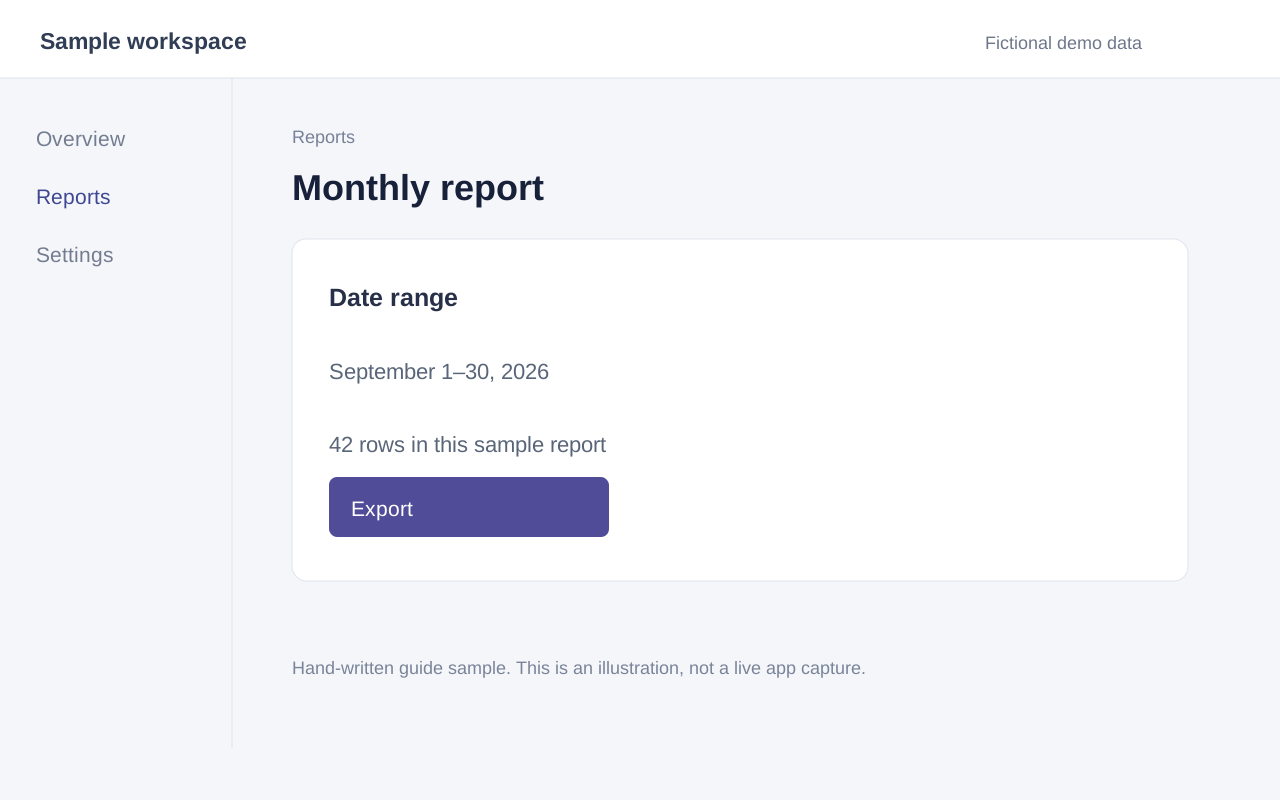
Open Reports and set the date range to September 1–30, 2026. Check the dates above the table.
- 2
Choose CSV
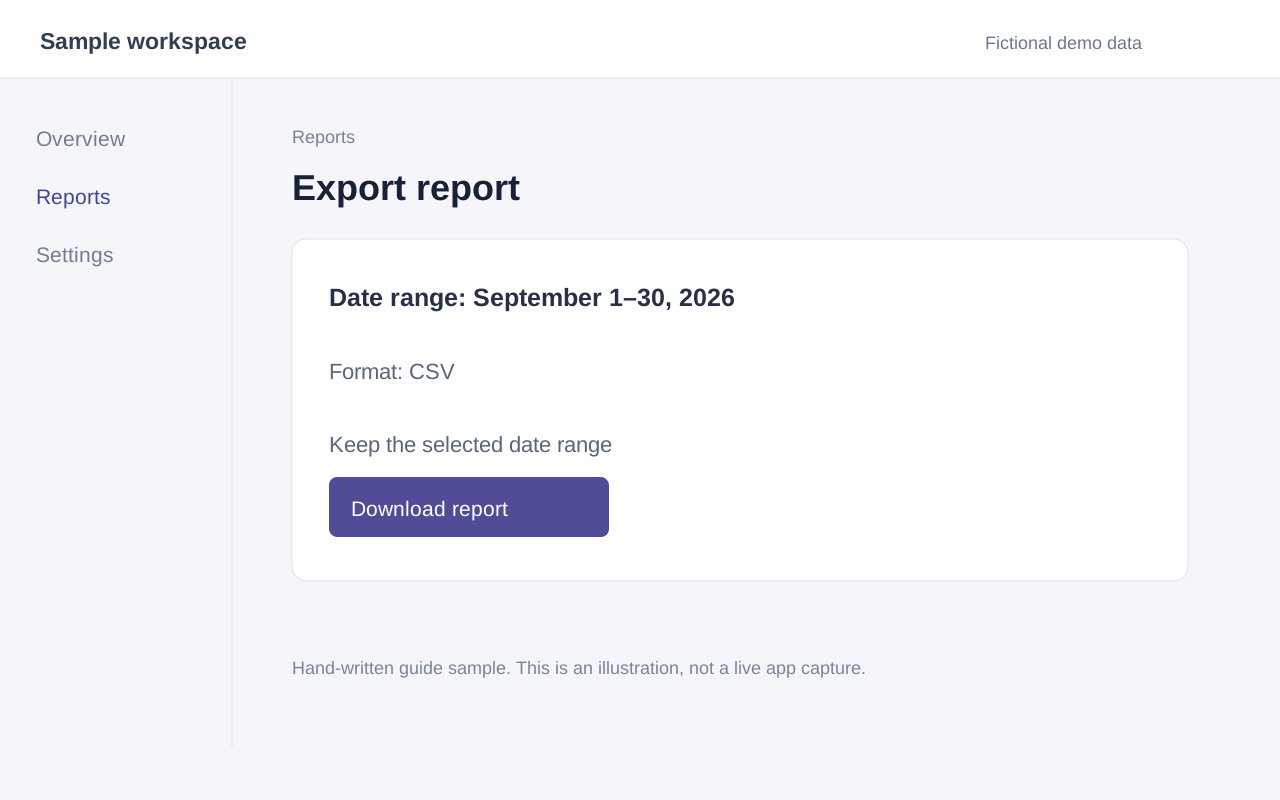
Select Export and choose CSV as the format. Keep the selected date range.
- 3
Download the report
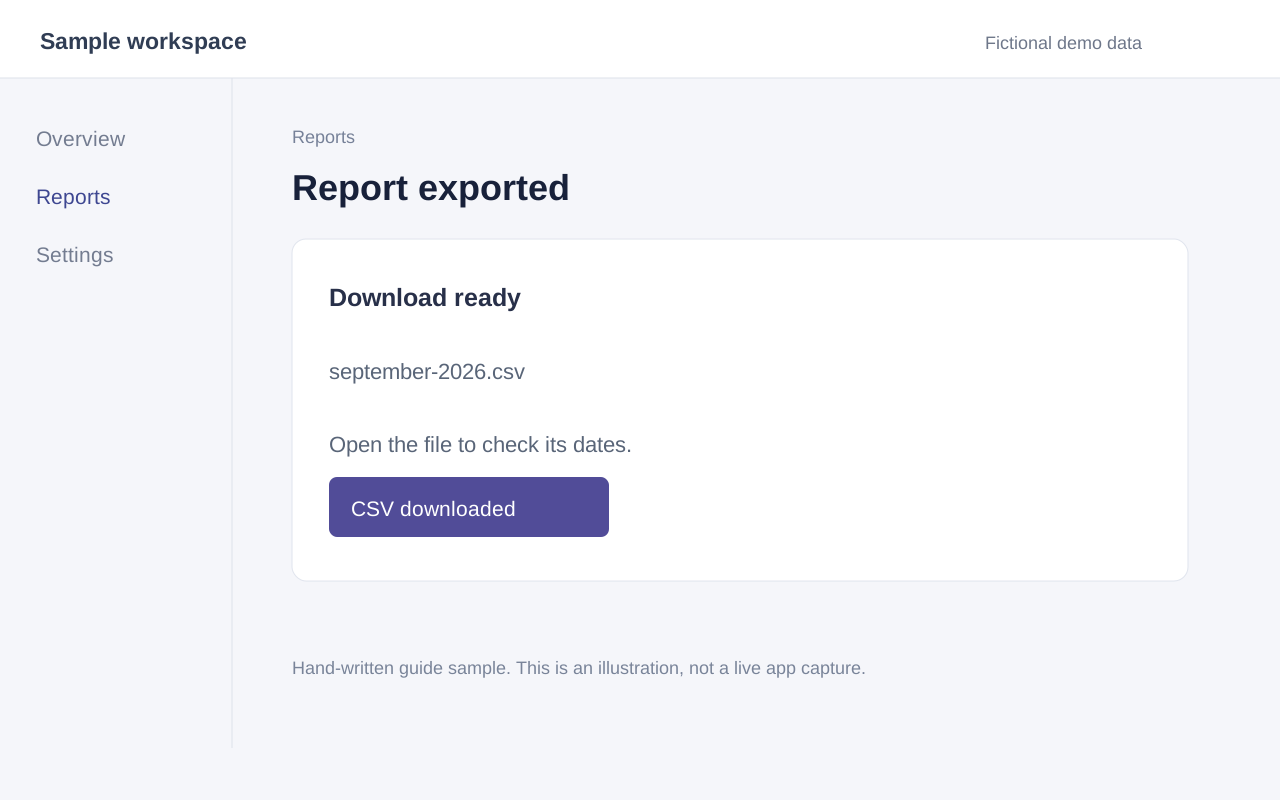
Select Download report. Open the CSV and check that its rows belong to the month you selected.
Review before you share.
Check that the lesson shows the selected dates and format. Review the AI draft for visible button names and any details that the screenshots cannot confirm.
In the desktop app, AI drafts the instructions from selected screenshots and click positions. You can correct each step beside its source image.
Give them both ways to follow.
Give learners the video for the lesson and an HTML guide to follow while they work. The current build exports silent WebM video, so narration is a separate step.